
How Professional Android Charging Port Repair Saves Your Device
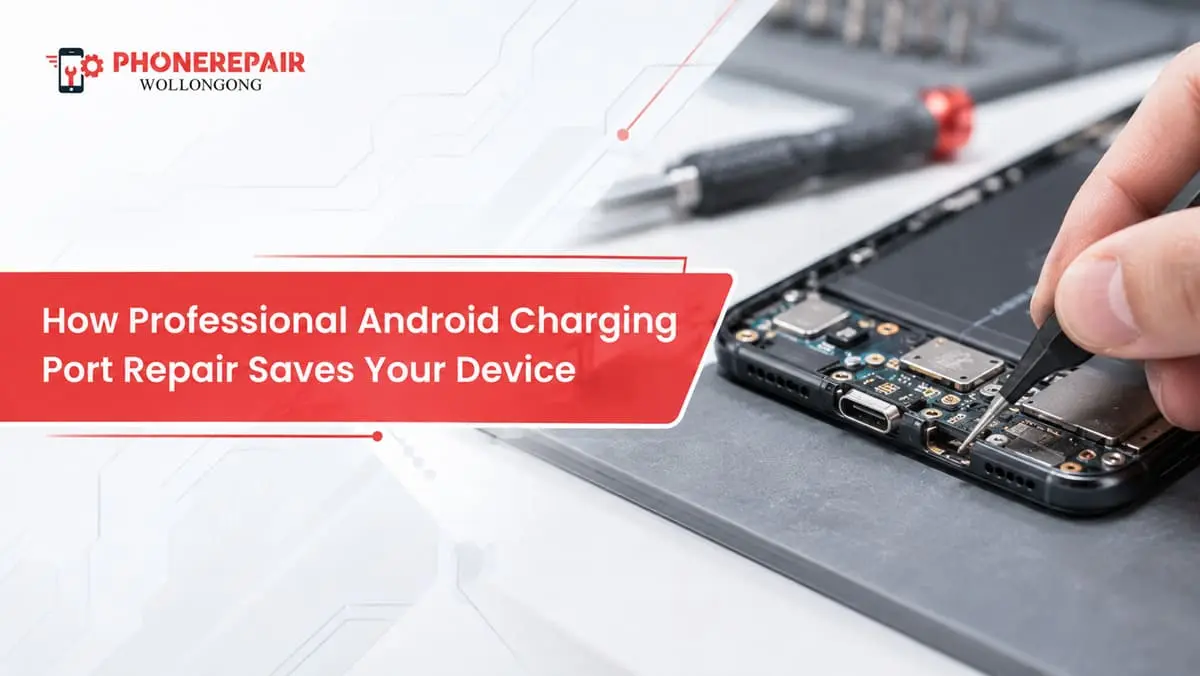
A charging cell phone that won’t plug in can be a significant grind every day. You connect the charger, wiggle the cable around, clean the connector and try another charger. Still nothing. Often, though, the issue lies at home inside your machine: a tired or dirty charging port.
It may feel tempting to make the easiest choice of replacing an entire phone but often this is quite expensive. Repairing an Android charging port by the experts will get it to reliable charging, protecting internal units and prolonging usefulness from it.
For Illawarra Android users, using Phone Repairs Wollongong experienced technicians can also maintain a small fault in the phone which does not become a much larger repair.
Why Android Charging Ports Stop Working
Android charging ports handle a lot of wear. Most people connect and disconnect their charger at least once or twice a day. Over a couple of years, that can mean more than a thousand charging cycles.
Additionally, phones travel through pockets, handbags, cars, workshops and outdoor environments. As a result, dust, lint and fine debris often collect inside the port. The cable may then stop making proper contact with the charging pins.
Common causes of charging port failure include:
- Pocket lint packed inside the connector
- Bent or damaged charging pins
- Moisture exposure
- Corrosion around the port
- Frequent use of cheap charging cables
- Pulling the cable out at an angle
- Dropping the phone while it is plugged in
- Wear around the USB-C or micro-USB socket
- Damage to the charging board
- Loose internal connections
However, not every charging issue comes from the port itself. A faulty cable, damaged battery, software problem or charging controller may cause similar symptoms. Therefore, proper testing matters before any parts get replaced. Need reliable Android repairs in Shellharbour? Our experienced technicians provide fast, affordable, and professional repair services for all major Android brands.
Signs Your Android Charging Port Needs Repair
Charging port problems often develop gradually. At first, the phone may charge only when the cable sits at a certain angle. Later, it may stop charging altogether.
Watch for these common warning signs:
- The charging cable feels loose
- The phone charges intermittently
- Fast charging no longer works
- The device disconnects when moved
- The phone shows a moisture or accessory warning
- The USB cable does not sit firmly
- A computer cannot recognise the phone
- Charging takes much longer than usual
- The port looks bent, dirty or corroded
- The phone does not charge with several tested cables
For example, if a phone has three working cables that fail, the phone surely needs to be looked at. Alternatively, if only one cable fails, patching the cable may fix the problem.
Repair or Replacement: Which Makes More Sense?
A new Android phone can set you back several hundred dollars, while high-end editions may even exceed $1,000. On the other hand, getting your Android phone charging port repaired by professionals usually costs a lot cheaper.
Option | Typical Cost Level | Data Risk | Environmental Impact | Expected Outcome |
Clean and inspect the port | Low | Very low | Minimal | Restores charging if debris caused the problem |
Replace the charging port | Low to moderate | Low with professional handling | Low | Restores cable connection and charging |
Replace the charging board | Moderate | Low with professional handling | Low | Fixes wider charging circuit faults |
Buy a new Android phone | High | Requires data transfer | High | Replaces the whole device |
Attempt a DIY repair | Uncertain | Moderate to high | May create extra waste | Can cause further internal damage |
Figures vary between Android models because some ports sit on separate daughterboards, while others connect directly to the main board. Nevertheless, repairing the existing device often provides better value. Get fast, reliable, and affordable Android repairs in Wollongong from experienced technicians.
How Professional Charging Port Repair Protects Your Phone
1. Technicians Identify the Real Cause
The foundation of a proper repair is the diagnosis. Since the technician checks port, cable connection, battery behaviour, charging current and internal board wherever required.
As a result, you do not get charged for the additional component that is not needed. In cases, which are a blocked port, it may require only professional cleaning. On the other hand, you might need to replace your socket — a physically damaged connector.
2. The Repair Prevents Further Internal Damage
An insecure port may result in intermittent electrical contact. Consequently, phone is getting connected and disconnected repeatedly while charging. This may produce heat around the area of charging and put additional stress on nearby components.
Plus bent pins can work against one another shorting too. A trained specialist can fix the fault before it causes damage to the charging board or motherboard.
3. Professional Tools Reduce Repair Risk
Today, Android phones contain significantly smaller screws, less durable flex cables, adhesive sealing and devices packed tightly together. This means that if the device is opened without special tools, you will likely destroy either the screen or battery connector, and in some cases even the back cover or fingerprint sensor.
The professional cell phone charging port replacement employs regulated heat, such as a heat gun, along with precision tools and proper disassembly techniques. Technicians also keep screws and parts properly organized, which otherwise can result in major problems during re-assembly.
4. Your Data Usually Stays on the Device
A charging port repair normally does not require deleting personal files. Therefore, photos, contacts, messages and apps usually remain untouched.
Even so, backing up important data before any repair remains a sensible step. Unexpected hardware faults can occur, particularly if the phone has suffered liquid or impact damage.
5. You Keep a Familiar Phone
Changing phones creates more work than many people expect. You need to transfer data, sign back into apps, update security settings and configure banking services.
By contrast, a successful Android USB-C port repair lets you continue using the same device. You keep your layout, accessories and settings, which saves both time and frustration.
6. Repair Reduces Electronic Waste
Hundreds of millions of electronic devices are swapped out each year, while smashed phones only add to the looming e-waste crisis in Australia. While recycling has its place, in most cases there are better environmental reasons to keep an existing device going longer.
Repairing a charging port, in turn, fosters more sustainability as well as practicality. Just because one tiny thing doesn’t work, does not mean the rest of your perfectly functional phone should go to a landfill. Get trusted Android repairs in Berkeley with expert diagnostics, genuine replacement parts, and quick turnaround times.
Why DIY Charging Port Repair Can Make Things Worse
Online videos can make charging port repair look easy. In reality, phone designs vary widely between Samsung, Google Pixel, Motorola, Oppo, Nokia and other Android brands.
Using pins, needles or metal tools to clean the port can scratch contacts or create a short circuit. Similarly, pushing too hard may damage the connector tongue inside a USB-C port.
DIY soldering carries even greater risk. Charging port contacts sit close together, and excessive heat may lift circuit pads from the board. Once that happens, the repair becomes more complicated and expensive.
For safe cleaning at home, turn the phone off and avoid liquids or metal tools. However, if debris will not come out easily, stop and arrange a professional inspection.
What Happens During an Android Charging Port Repair?
The exact procedure depends on the phone model and the fault. However, a standard repair may involve the following steps:
- The technician tests the charger, cable and battery response.
- They inspect the port for lint, corrosion or physical damage.
- They confirm whether the issue affects the port, charging board or main board.
- The phone gets carefully opened using model-appropriate tools.
- The damaged port or charging assembly gets removed.
- A compatible replacement part gets installed.
- The device gets reassembled and tested.
- The technician checks charging speed, cable fit, microphone function and data connection where applicable.
Testing matters because many Android charging boards also contain microphones, antenna connections or headphone components. Therefore, a repair should restore more than basic charging. Looking for a Android Repairs in Coniston?
When Cleaning Is Enough
Not every phone needs a replacement port. Pocket lint can become tightly compressed at the bottom of the socket, which prevents the plug from going in fully.
Professional cleaning may fix the following symptoms:
- The cable does not click securely into place
- The connector appears shallower than normal
- Charging works when pressure gets applied
- Visible lint sits inside the port
- The port has no obvious physical damage
However, cleaning will not repair broken pins, corrosion, cracked solder joints or a damaged charging board. Proper diagnosis separates a simple cleaning job from a component repair.
Can You Keep Using Wireless Charging Instead?
Not every Android phone has wireless charging, so people might see it as a stopgap measure. That will come in hand when needed; doing so in an emergency. However, wireless charging doesn’t repair the broken port.
However, you may also still need the port for transferring data, using Android Auto, connecting wired accessories, software recovery or use during a faster charge. Furthermore, wireless charging also generates more heat than a good wired charger, and is generally slower.
Therefore, wireless charging works best as a temporary option rather than a permanent answer.
Tips to Protect Your New Charging Port
Once your phone has been repaired, a few simple habits can help the replacement last longer.
- Use good-quality chargers and cables
- Remove the cable by gripping the plug, not the wire
- Avoid using the phone aggressively while it charges
- Keep the device away from moisture
- Do not charge the phone on dusty work surfaces
- Check the cable plug for bends or corrosion
- Avoid forcing a connector into the port
- Clean pockets and bags regularly
- Replace loose or damaged cables early
Moreover, never ignore overheating near the charging port. Disconnect the charger and arrange an inspection if the phone becomes unusually hot, smells burnt or shows visible swelling.
Related Services:
» Android Repairs in Albion Park
» Android Repairs in Warrawong
Why Choose Phone Repairs Wollongong?
It is a lot easier since they provide local repair assistance. Rather than shipping your phone off or waiting on a loaner device, talk to someone who knows the issue and discuss repair options.
A professional assessment at Phone Repairs Wollongong can help determine if your device simply needs a cleaning, or whether it needs a new USB-C port installed, or just a replacement charging board or motherboard repair.
But more importantly, a well done repair can save you the phone you’re currently carrying. It can also save your data, decrease garbage and stop you from an unneeded upgrade.
Related Articles:
» Android Phone Issues and How Expert Repair Services Can Help?
» Warning Signs Your Android Phone Needs Immediate Repair
» Cracked Screen to Battery Drain: Android Repair Solutions
» How to Fix Sound Issues on Your iPhone or Android?
» Android Phone Issues and How Expert Repair Services Can Help
Restore Your Android’s Charging Performance
Just because your charging port has failed, it doesn’t mean you have to end things with your Android phone. However, in many cases, a professional repair will restore both efficient charging and years of useful life to the device.
But pushing off the fix could lead to other wear and tear, overheating or greater electrical trouble. So, schedule an evaluation when the cable is wobbly, charging has become unpredictable aka the very phone doesn’t connect to a computer.
Whilst a charging port repair may be a minor fix it can save your phone, your data and thousands of dollars on an expensive replacement for your Android device so get it done today by an expert for the best price in Wollongong.
How Professional Android Charging Port Repair Saves Your Device
Common symptoms are loose cable fit, intermittent charging, slow charging and failure to connect with a computer. But a cable, battery and charging circuit test by a technician should be carried out before confirming the fault.
Yes. The amount of compressed lint can stop the plug before it reaches internal contacts. Many times, an expert cleaning your charging port will work and restore it without the necessity of swapping the board.
When it comes to phone repairs, repair time varies depending on the extent of damage done and what part is available. With separate charging boards, it may take less effort than phones where the port is soldered directly to the motherboard.
Usually, no. Hardware repair generally leaves stored data unchanged. Nevertheless, backing up important files before repair provides extra protection.
Yes. Depending on the design of the device, technicians can replace either a USB-C connector or an entire charging board.
A cable may be unable to touch the contacts because there is debris or a worn pin or a loose port. The act of keeping on bending the cord will make it worse.
No. Metal tools can scratch contacts, bend pins or create an electrical short. Avoid liquids as well, unless a technician uses an approved cleaning method.
In most cases, yes. Repairing one damaged component usually costs much less than purchasing a new mid-range or premium Android device.
Fast charging may stop because of port damage, dirt, an unsuitable cable, charger faults, battery issues or software settings. Diagnosis will identify the actual cause.
Yes. Moisture can cause corrosion around the port and charging board. Turn the phone off and seek professional help rather than repeatedly connecting a charger.
You can use wireless charging on compatible phones as a temporary solution. However, the damaged port may still affect data transfer, Android Auto and wired accessories.
No. A loose connection may cause heat, unstable charging and further damage. Arrange an inspection before the fault spreads to other components.