
Why Your iPhone Camera Isn't Working and When You Need a Professional Repair
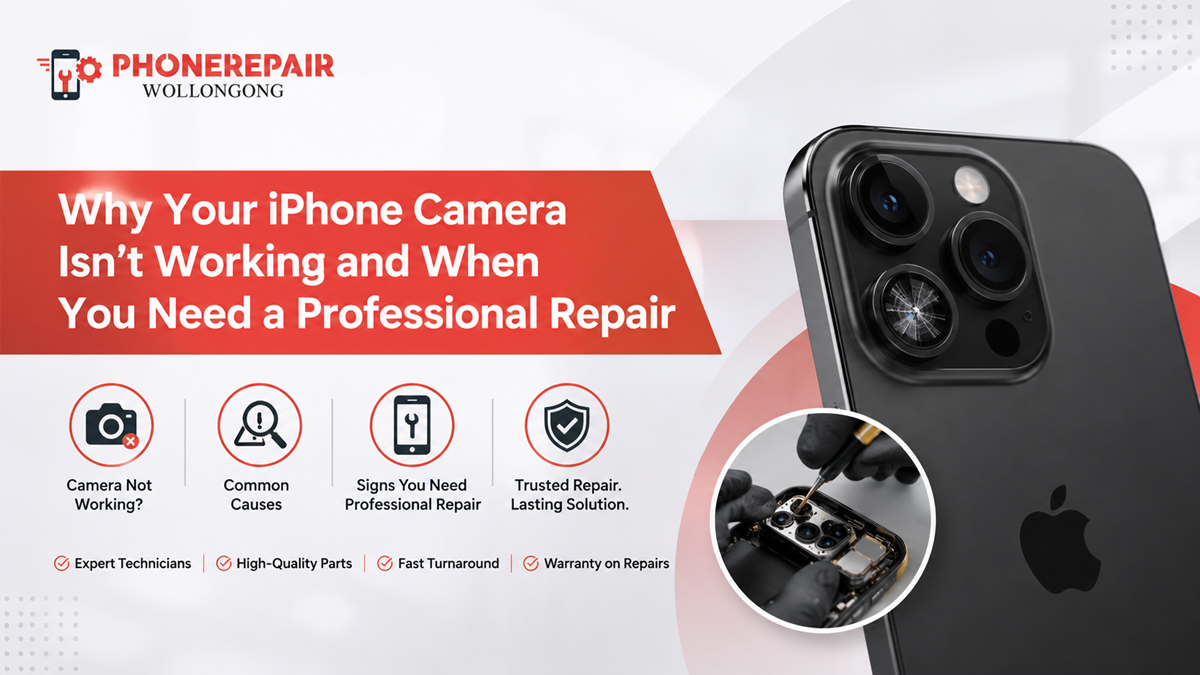
Your iPhone camera is usually what you use to capture moments that you only have one shot at. And so, when the screen goes black, photos seem blurry or the camera app repeatedly freezes, it can be very annoying very fast.
Not every camera fault means you need to buy a new phone, luckily! In other cases, it just takes a minor software tweak to get things back to normal. But other roots show defective hardware requiring reliable technician assistance.
Understanding the cause can save you time, protect your photos and prevent further damage. This guide explains why your iPhone camera isn’t working, what you can safely check at home and when to book a professional iPhone camera repair in Wollongong.
Common Signs of an iPhone Camera Problem
Camera faults do not always appear in the same way. For example, one person may see a completely black preview, while another may notice that the camera refuses to focus.
Common warning signs include:
- The Camera app opens to a black screen
- Photos remain blurry even after cleaning the lens
- The rear or front camera does not switch properly
- The camera app freezes, closes or responds slowly
- Flash fails to work with the camera
- The image shakes or makes a clicking noise
- Portrait mode does not detect subjects
- The camera shows spots, lines or unusual colours
- Video recordings have unstable focus
- Face ID stops working after impact or water exposure
Although some of these symptoms come from software errors, repeated faults often indicate a physical camera, lens or internal connection problem. Get details on iPhone Repairs in Shell Cove.
Why Is Your iPhone Camera Not Working?
1. The Camera App Has Temporarily Frozen
Like any app, the iPhone Camera app can stop responding. This may happen after prolonged use, low storage or a temporary iOS glitch.
To achieve that, you will have to kill the Camera app and re-open it. If both of the cameras are not working, you can switch between front camera and rear camera and see which camera is having issues.
A core part of troubleshooting: If your app return to a normal state after you restart, the problem likely was temporary. If the black screen comes back, however, it is a more serious software or hardware issue.
2. Your iPhone Needs a Restart
A restart simulates the stopping of all temporary processes to refresh system functions. Hence, it is considered one of the most straightforward troubleshooting methods.
Power off device, wait for ~30 seconds and Power back on again. Next test the two cameras, video mode and the flash should work.
This simple step will not repair a damaged component. Nevertheless, it can solve minor camera crashes without affecting your personal data.
3. The Camera Lens Is Dirty or Covered
Fingerprinting, dust or greasy smudge causing photos to go hazy more often. Overly thick camera protectors and loose-fitting triple-camera cases can block the lens or cover the flash.
Remove the case, lens protector and wipe the camera glass with a clean dry microfibre cloth. Avoid using household sprays or anything that is abrasive, it may peel the coat.
But if images remain unclear even after cleaning, the issue could be deeper than the outer glass.
4. The Lens Glass Is Cracked
While the camera sensor may still be alive, a cracked lens can impact image quality. Light can get scattered, leading to glare, washed out colour or inability to focus due to glass breaking up.
Horizontal and vertical cracks will allow dust and moisture to infiltrate the inside of your camera body. It also means that, if a cracked iPhone camera lens isn’t addressed in time, the internal consequence of an external problem could be an expensive one as well.
5. Your Storage Is Almost Full
Your camera needs available storage to save photos and videos. When storage runs extremely low, the Camera app may become slow, freeze or fail to record properly.
Check your iPhone storage through Settings. Delete unwanted downloads, duplicated videos and unused apps where appropriate. Alternatively, back up important files before removing them.
Even so, storage problems usually affect saving and performance rather than causing permanent blur or shaking.
6. An iOS or App Problem Is Affecting the Camera
An outdated iOS version or a faulty third-party app may interfere with camera access. Therefore, check whether the problem appears only in one app, such as Instagram, WhatsApp or Snapchat.
Review the app’s camera permissions and install available updates. Moreover, test the standard Camera app. If Apple’s Camera app works but another app does not, the phone’s camera hardware is less likely to be the cause.
7. The Phone Has Suffered Impact Damage
A drop can damage the camera module even when the screen and rear glass look fine. Modern iPhone cameras contain delicate focus and stabilisation parts. Consequently, a hard impact may cause shaking, clicking, blur or a black image.
You might also notice that the camera works at one zoom level but fails at another. This can happen because newer iPhones use multiple rear camera modules.
Once internal camera hardware has shifted or broken, restarting the device will not provide a lasting repair.
8. Moisture Has Entered the Device
An iPhone is not entirely waterproof, its water resistance Similarly, seals do not hold up forever — they weaken, especially following a repair or two or after several drops.
Black spots, fogging and focusing issues due to moisture close to the camera lens haze and corrosion. Plus, the defect may worsen days after the first contact.
Make absolutely sure you do not ever put this phone in rice. Instead, turn it off and schedule an inspection as soon as possible. The technician will also be able to determine if your device was immersed in what liquid and where, as well as check for corrosion around the connections for the camera module.
9. The Autofocus or Stabilisation System Has Failed
If the photo is now continually pulsing, shaking or unfolding as opposed to starting quiet even in auto-targeted mode, your optical stabilisation / autofocus mechanism is possible smashed.
This defect is particularly noticeable during tight video or text photography. You might also hear a minor rattle or click.
Since these components are housed in a module inside the camera, it is typically easier to replace the affected module than it would be to compensate for at least one part of the camera via software. Looking for a iPhone Repairs Figtree.
Quick iPhone Camera Troubleshooting Guide
|
Camera problem |
Possible cause |
Safe action to try |
Professional repair likely? |
|
Black camera screen |
App crash, connection fault or failed camera |
Restart the app and phone |
Yes, if the issue returns |
|
Blurry images |
Dirty lens, cracked glass or autofocus fault |
Clean the lens and remove the case |
Yes, if blur remains |
|
Camera shaking |
Stabilisation damage |
Restart and test without accessories |
Usually |
|
Flash not working |
Low battery, overheating or hardware fault |
Let the phone cool and retest |
Possibly |
|
Camera fogging |
Moisture inside the lens area |
Switch off the phone |
Yes |
|
App keeps closing |
Low storage or iOS problem |
Free storage and update iOS |
If unresolved |
|
One camera works, another fails |
Individual camera module fault |
Switch between all lenses |
Usually |
|
Spots in every photo |
Dust, sensor damage or internal moisture |
Clean the outer lens |
Yes, if spots remain |
When Should You Get Professional iPhone Camera Repair?
You should arrange an assessment when basic troubleshooting does not solve the fault. In particular, seek professional help when:
- The lens glass is cracked or missing
- The camera shakes or makes clicking sounds
- Moisture appears behind the camera glass
- The front or rear camera stays black
- Photos remain blurry in every app
- The issue started after a drop
- Face ID and the front camera fail together
- The flash and rear camera stop working at the same time
Continuing to use a phone with exposed or cracked camera glass can allow more debris inside. Therefore, early repairs often reduce the risk of wider damage. Get details on iPhone Repairs in Shellharbour.
Why Choose a Professional Repair Service?
An iPhone camera repair involves more than removing a broken lens. A technician must first identify whether the fault comes from the outer glass, camera module, internal connector, software or mainboard.
At Phone Repairs Wollongong, a proper assessment helps avoid unnecessary part replacement. Moreover, an experienced repairer uses suitable tools to open the phone, protect surrounding components and test camera functions after the repair.
Professional testing should cover:
- Front and rear image quality
- Autofocus performance
- Video recording
- Camera switching
- Flash operation
- Portrait mode
- Microphone function during video
- Face ID where relevant
Although online repair kits may look inexpensive, camera areas contain small parts and fragile cables. One incorrect move can damage the rear housing, display or Face ID system.
Related Service:
» iPhone Repairs in Fairy Meadow
» Nokia Phone Repairs Wollongong
» Huawei Phone Repairs Wollongong
» Realme Phone Repairs Wollongong
» Xiaomi Phone Repairs Wollongong
» MacBook & tablets Repairs Shellharbou
Camera Lens Repair vs Camera Module Replacement
|
Repair type |
Usually suitable for |
Typical symptoms |
|
Camera lens glass replacement |
External glass damage with a working camera |
Cracked glass, glare or exposed lens |
|
Camera module replacement |
Internal sensor, focus or stabilisation failure |
Black screen, shaking, blur or clicking |
|
Internal cleaning |
Dust or minor contamination inside the camera area |
Spots, haze or particles in photos |
|
Software diagnosis |
Camera errors without visible damage |
Freezing, app crashes or permission faults |
|
Liquid damage inspection |
Moisture exposure or corrosion |
Fogging, intermittent camera or black image |
The correct repair depends on the diagnosis. For example, replacing only the outer lens will not fix a faulty stabilisation mechanism. Similarly, replacing the full camera may be unnecessary when only the protective glass has cracked. Looking for a iPhone Repairs in Towradgi.
Protecting Your iPhone Camera After Repair
After repair, use a case with a raised camera edge. This design helps prevent the lens from touching tables and other surfaces.
Additionally, avoid placing the phone in a bag with keys, coins or tools. Clean the lens gently, and never expose the camera area to strong cleaning chemicals.
A camera protector may offer extra scratch protection. However, choose a thin, correctly fitted product because poor-quality protectors can affect flash photography and image clarity.
Related Articles:
» A Guided Tour of iPhone 15 & iPhone 15 Pro
» Why Your Phone Isn’t Charging
» How to Choose the Right Replacement Screen for Your iPhone
» Effective Tricks On “How To Save iPhone Battery?
» How to Speed up your iPhone in 5 easy steps
Book iPhone Camera Repair in Wollongong
A broken camera can affect work calls, scanning QR codes, bank verification and social media and general photography. Hence, there is more sense to fix the problem rather than simply living with it.
Camera faults can be detected and repaired by Phone Repairs Wollongong technicians, who may assess the part affected and advise on an appropriate repair. And no matter how old your phone is, or whether it’s a cracked lens, blurry camera, black preview or shaking video – diagnosing will give you a clear answer.
Get in touch with Phone Repairs Wollongong for trusted iPhone camera repair within the Wollongong location and have your phone back to taking clear images and videos.
FAQs: Why Your iPhone Camera Isn't Working
A black screen may come from a frozen app, iOS error, loose connection or failed camera module. Restart the app and phone first. If it continues, arrange a professional inspection.
The lens could be dirty, scratched or cracked. But perhaps the autofocus system died on impact. Start by cleaning the outer glass and check the camera.
Yes. The cracked glass can produce glare, haze, poor focus and light distortion. It can also expose the interior camera to some dust or moisture.
Yes. An impact can damage internal stabilisation, autofocus parts or camera connections even when the outer glass looks normal.
Common Types of Damage Camera shake is usually the first clue to a busted optical image stabilization (OIS) system. Magnetic accessories do cause short-term interference, so you should remove them before testing as well.
Yes. That’s moisture, which can fog the lens, corrode connectors and damage the camera module. Turn off the phone and visit a repair company as soon as possible.
An update might fix software-related crashes or compatibility issues. It will, however, not fix a cracked lens, sensor damage or a failed stabilisation system.
The back camera module or connection might have failed. As the front and rear systems use separate bits, one can fail while the other continues to function.
In many cases, yes. In fact, if the inner camera is functioning properly, a technician may only swap out the outer lens glass affected.
Your data should not be erased by a standard hardware repair. However, whenever possible, backup important photos and files before any repair.
Persistent shaking, clicking, black images and focus failure often indicate module damage. A technician can confirm this through physical inspection and testing.
You can contact Phone Repairs Wollongong for camera fault diagnosis, lens repair and camera module replacement for compatible iPhone models.