
Android Back Case Damage: Repair Before It Gets Worse
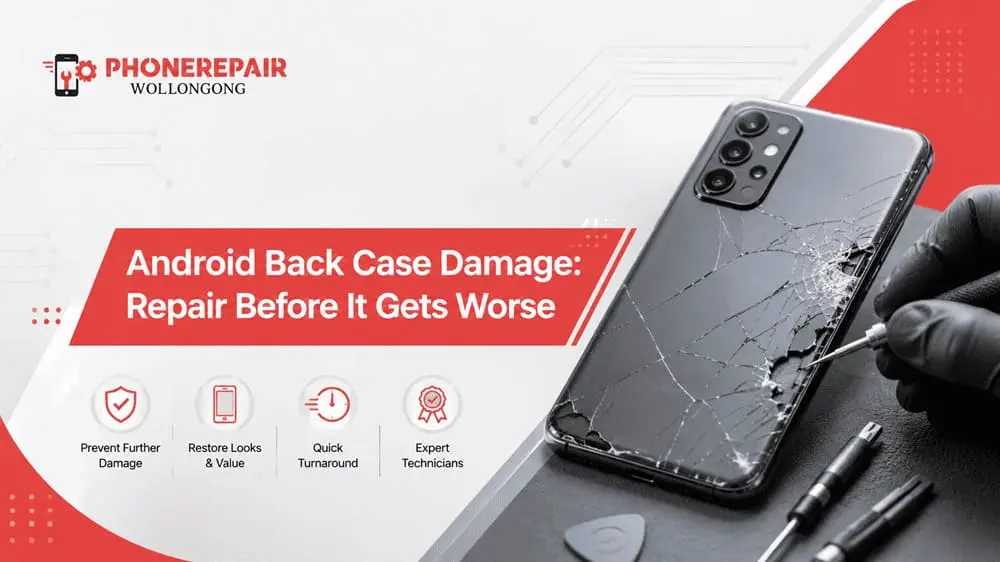
An android phone having a cracked back casing could be considered superficial,particularly when the device still turns on and functions normally. That minor fissure, however, can very quickly evolve right into a free glass, revealing internal elements, water damage or perhaps battery problems.
Glass was used in modern Android phones’ back panels (and still is today) – as well as plastic, aluminium or composite materials. While those materials allow manufacturers to build thinner, sleeker devices — they still break on impact. In fact, a.phone with just a case would still likely break on the rear panel if it landed at an awkward angle.
So, getting a repair for an Android back case in Wollongong ASAP can save the device and also save you from spending more on repairing.
What Is the Android Back Case?
The back case, also called the rear housing, back cover or back glass, forms the outer rear section of an Android phone. Depending on the model, it may hold or protect:
- The battery
- Wireless charging components
- Camera lenses and flash units
- NFC hardware
- Internal connectors
- Water-resistant seals
- The phone’s frame and structural parts
Although the panel looks simple, it plays an important role. It keeps dust, moisture and impact away from sensitive components. Consequently, when it cracks or begins lifting, the phone loses part of its protective barrier. Get details on Android Repairs in Dapto.
Common Signs of Android Back Case Damage
Some damage looks obvious. However, other warning signs can be easy to miss, particularly when a protective cover hides the back of the phone.
Watch for these common symptoms:
- Cracked or shattered rear glass
- A corner that has chipped away
- Loose glass fragments
- A back panel that lifts from the frame
- Gaps around the phone’s edges
- Sharp areas that catch on your hand
- A camera cover that no longer sits correctly
- Unusual heat near the rear panel
- A swollen or raised back cover
- Wireless charging that cuts in and out
If the rear cover has started lifting without a recent drop, stop using the device and seek professional help. A swollen battery may be pushing the panel outward, and continuing to charge it may create a safety risk.
Why You Shouldn’t Ignore a Cracked Back Case
A minor crack rarely stays minor. Daily handling, pocket pressure, heat from charging and repeated movement can gradually widen it.
1. Moisture Can Enter the Phone
A cracked back panel weakens the phone’s original sealing. As a result, rain, sweat, humidity or a small spill may reach the internal electronics.
Even phones marketed as water-resistant can lose that protection after physical damage. Therefore, you shouldn’t assume an IP rating still applies once the rear panel has cracked or separated.
2. Dust Can Affect Internal Components
Fine dust and lint may enter through gaps in the housing. Over time, this material can collect around connectors, cameras and charging components.
Additionally, debris near a camera lens may affect image quality. Dust around internal contacts may also contribute to unreliable performance.
3. Cracks Can Spread Towards the Camera
Many Android devices place several cameras close to the rear panel. If the crack spreads, the camera lens cover may loosen or break.
Once that happens, photos may look blurry, hazy or distorted. More importantly, replacing a camera assembly usually costs more than replacing only the back case.
4. Sharp Glass Can Cause Injury
Broken rear glass may splinter and create sharp edges. It can scratch fingers, damage clothing or leave tiny fragments inside a protective case.
A case may hide the danger temporarily, but it doesn’t remove it. In fact, pressure from the case may push damaged glass further into the phone.
5. Structural Strength Can Drop
The rear housing supports the shape of the device. Therefore, extensive damage may reduce the phone’s resistance to bending or further impact.
A second drop could then affect the screen, battery or internal frame. What began as a basic Android rear cover replacement might become a multi-part repair. Looking for a Android Repairs in Warrawong?
Back Case Repair: Early Repair Versus Delayed Repair
Situation | Likely Repair Required | Possible Risk | Relative Cost |
Small crack repaired early | Back cover replacement | Low risk to internal parts | Lower |
Crack reaches camera area | Back cover and camera lens repair | Poor photo quality and dust entry | Moderate |
Rear cover starts lifting | Battery inspection and housing repair | Battery swelling or internal pressure | Moderate to high |
Moisture enters through crack | Back cover and internal cleaning | Corrosion or board damage | High |
Phone suffers another drop | Housing, screen or internal repair | Multiple damaged components | High |
The exact price depends on the phone model, parts availability and the extent of the damage. However, early attention usually gives the technician more repair options.
Can You Keep Using the Phone With a Cracked Back?
You may be able to use it briefly, but it isn’t a good long-term plan. Cracked glass can shift, and gaps may allow contamination to enter the device.
Meanwhile, heat from fast charging may cause the damaged panel to expand and contract. This movement can worsen existing cracks.
Until you arrange a repair:
- Keep the phone away from water
- Avoid wireless charging
- Don’t press on the damaged panel
- Use a protective case carefully
- Don’t remove loose glass with bare fingers
- Avoid charging the phone unattended
- Back up important photos and files
These steps may reduce immediate risk. Nevertheless, they don’t replace a proper inspection. Get details on Android Repairs in Corrimal.
What Happens During an Android Back Case Repair?
A professional technician will first inspect the phone to check whether the damage affects only the rear cover. They may also examine the frame, cameras, battery and charging system.
The general process may include:
- Testing the phone’s main functions
- Heating or loosening the damaged rear adhesive
- Removing the cracked panel safely
- Cleaning old adhesive and glass fragments
- Inspecting the battery and internal components
- Fitting the correct replacement panel
- Applying new adhesive or seals
- Testing cameras, charging and wireless features
The procedure varies between Samsung Galaxy, Google Pixel, Oppo, Motorola, Xiaomi and other Android models. Therefore, repair time can also vary.
Should You Try a DIY Back Cover Replacement?
Online videos often make back-glass replacement look simple. However, the job can involve strong adhesive, fragile cables, heat and sharp glass.
A DIY attempt may damage:
- The battery
- Wireless charging coils
- NFC components
- Camera modules
- Fingerprint sensors
- Internal flex cables
- The phone’s frame
Additionally, incorrect adhesive may leave gaps around the replacement panel. For that reason, a professional Android phone repair service usually offers a safer result. Looking for a Android Repairs in Albion Park Rail?
Back Glass, Plastic Cover or Full Housing?
Not every Android phone uses the same rear construction.
Rear Material | Common Advantages | Typical Damage |
Glass | Premium appearance and wireless charging support | Cracks, chips and shattered sections |
Plastic | Lightweight and less likely to shatter | Scratches, warping and broken clips |
Aluminium | Strong and rigid | Dents, bends and deep marks |
Composite material | Balanced strength and weight | Cracks, separation and surface damage |
Some models need only a rear-panel replacement. Others require a full rear housing replacement, particularly when the frame has bent or mounting points have broken.
Related Services:
» Android Repairs in Unanderra
» Vivo Phone Repairs in Wollongong
Why Choose Phone Repairs Wollongong?
At Phone Repairs Wollongong, customers can have damaged Android devices inspected before the issue spreads to other parts.
A proper assessment helps identify whether the phone needs:
- A replacement back cover
- New rear glass
- Camera lens repair
- Battery inspection
- Frame or housing replacement
- Internal cleaning after moisture exposure
Moreover, professional repair helps restore the phone’s appearance and makes it more comfortable to handle. It may also improve resale value, especially when the device works well apart from the damaged rear panel.
Related Articles:
» How to Prevent iPhone Charging Port Damage and Costly Repairs?
» Warning Signs Your Android Phone Needs Immediate Repair
» Cracked Screen to Battery Drain: Android Repair Solutions
» Android Phone Issues and How Expert Repair Services Can Help
» Where to fix a broken Android phone in Wollongong?
Repair the Damage Before It Becomes Expensive
It is not only about appearances — a broken Android back case It can expose the phone to moisture, dust, pressure and more impact. Additionally, if the panel is lifted, it will indicate either a battery or swelling issue — both of which require immediate attention.
So, do not wait for a small crack to turn into an even larger fault. You can book for an Android back case repair in Wollongong and get the phone checked by an expert technician.
Repairing it early can save the battery, cameras and internal electronics. You might also avoid having to replace a phone that has plenty more to give.