
How to Prevent iPhone Charging Port Damage and Costly Repairs
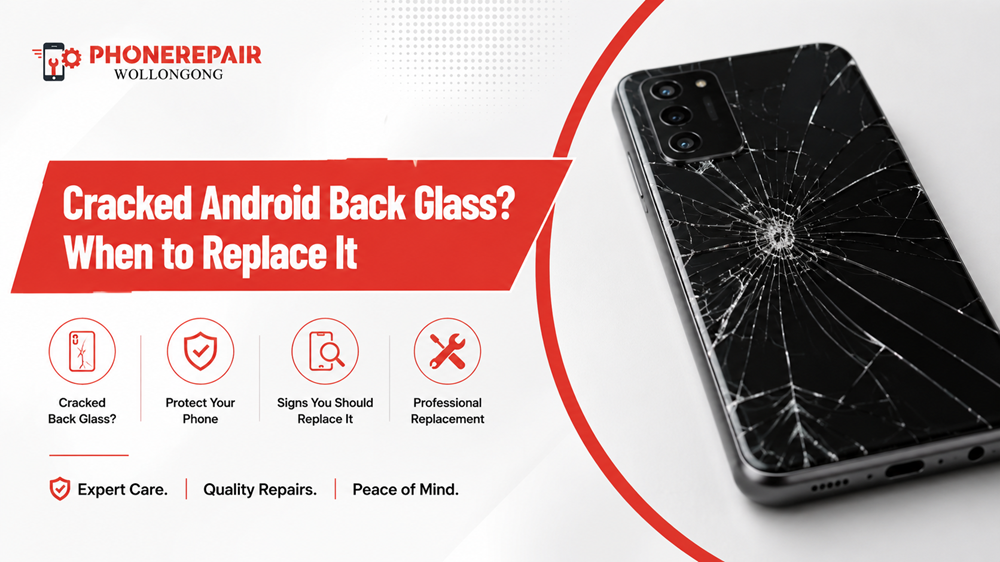
A cracked phone screen usually gets immediate attention. However, damage to the rear panel often gets ignored because the display still works. You might cover the crack with a case, keep using the phone and assume there’s no real problem.
But a cracked Android back glass isn’t just an aesthetic concern. They can dull your fingers, make the guts of your phone moist and allow glass to be exposed. Besides, a cracked rear panel can impact wireless charging, picture stability with the camera as well as the overall durability of the device.
So, when should you replace the back glass, and when can you get away with waiting? Let’s take a closer look. Get details on Android Repairs Unanderra.
Why Do Android Phones Use Glass Back Panels?
Glass tends to let through the wireless charging signals better than metal, so many modern Android phones are implementing glass rear covers. Additionally, it is also used by manufacturers for a smooth and luxurious finish.
Many phone brands including Samsung, Google, Xiaomi and Oppo have multiple models covered in glass on the rear side. These panels might appear to be appealing; however they are vulnerable from crack after an unexpected blow, fall or sudden tension.
Common causes of Android back panel damage include:
- Dropping the phone onto tiles or concrete
- Sitting on the device while it is in a back pocket
- Carrying the phone with keys or hard objects
- Using a poorly fitted case
- Sudden temperature changes
- Battery swelling beneath the rear cover
- Previous low-quality repairs
Even a small impact can create a hairline crack. Then, over time, regular movement and heat may cause that crack to spread.
Is Cracked Back Glass Dangerous?
Yes, it can be. Although a slight crack in the rear housing may not prevent your phone from functioning, it has nonetheless compromised the integrity of the rear housing.
The rear cover protects the battery, charging coil, cameras and internal circuit boards. Hence, after the glass breaks, the phone transitions to being more exposed to dust, moisture and an extra effect.
You might also see small fragments of glass emerging from the surface. If so, because you are handling the phone without a case, cuts may appear. Separately, broken glass in close proximity to the camera might scrap the lens or give exposure for dirt to build up between it.
A cracked rear panel may not feel urgent today, but it can turn into a more expensive repair later. Looking for a Android Repairs Berkeley?
Signs You Should Replace Android Back Glass Immediately
Some cracks can wait a while. However, if any of the following problems crop up, you should schedule an Android back glass replacement at the earliest.
1. Glass Pieces Are Falling Off
The inner frame is visible if the glass is loose or missing. This is because water, dust and tiny debris can more easily get into these devices.
Also, you could get sharp fragments stuck in your clothes or cut your hand. A phone case can provide temporary protection but it won’t fix the structural damage.
2. The Crack Reaches the Camera Area
Cracks around the camera module will also need to be addressed. Even if the lens is unharmed, moisture and dust will make their way into the camera housing if only the back glass has cracked.
Consequently, the pictures can get cloudy, blurred or suffer from internal condensation.
3. Wireless Charging Has Become Unreliable
On many Android devices, this glass back is positioned directly over the wireless charging assembly. So it could be bad damage, movement in the rear housing or a poor repair history is preventing charging.
Do not use wireless charging if your phone is charging slowly, disconnects repeatedly or excess heat is generated; Work with a technician to assess the situation.
4. The Rear Cover Is Lifting
An area where the back panel is lifting could indicate adhesive failure More seriously, it could also indicate a swollen battery inside the telephone.
Do not push down the cover into position. Do not try to pierce the outside of a swollen lithium-ion battery, because it could be dangerous and a professional should examine the battery.
5. The Phone Has Lost Its Water Resistance
A shattered back panel ruins the OG seal. Of course, even phones that are marketed as water resistant can lose their defenses against water after the phone becomes physically harmed.
So do not let it rain, nor enter bathrooms, sinks and humid places until the phone is reviewed.
6. The Phone Feels Unstable or Flexes
The back also supports the phone frame. If it bends, creaks or feels loose the frame or adhesive may have incurred further damage.
In such a case, just swapping out the back glass may not be sufficient. Before attempting a repair, a technician should check the frame. Read on Android Repairs Shell Cove.
Can You Keep Using a Phone with Cracked Back Glass?
You may be able to use it temporarily when the crack is small, stable and fully covered by a protective case. Nevertheless, continuing to use it carries some risk.
Damage condition | Can it wait briefly? | Recommended action |
Small hairline crack | Possibly | Use a case and book an inspection |
Multiple spreading cracks | Not recommended | Replace the back glass soon |
Loose glass fragments | No | Stop handling without protection |
Crack near camera | No | Arrange prompt repair |
Back cover lifting | No | Check for battery swelling |
Moisture inside phone | No | Switch off and seek professional help |
A strong case may prevent direct contact with the glass. However, it cannot restore the seal, remove pressure from the panel or stop hidden damage.
Repairing Back Glass Versus Replacing the Phone
Replacing the complete phone often costs far more than repairing the rear cover. Therefore, back glass repair usually makes sense when the display, battery, cameras and motherboard remain in good condition.
However, replacement may be less practical when the phone already has several major faults.
Phone condition | Back glass repair | Device replacement |
Phone works well apart from rear damage | Usually worthwhile | Often unnecessary |
Newer or premium Android model | Commonly cost-effective | Typically expensive |
Severe frame and screen damage | May not be enough | Could be more practical |
Old phone with poor battery health | Consider total repair cost | Upgrade may offer better value |
Important data stored on device | Repair may preserve access | Data transfer may be required |
A technician can assess the full condition and help you compare the repair cost with the phone’s current value. Get details on Android Repairs Albion Park Rail.
What Happens During Android Back Glass Replacement?
The repair method depends on the phone model. Generally, a technician will soften the rear adhesive, carefully remove the broken panel and clean the frame.
Next, the technician checks the camera surrounds, wireless charging components, battery and rear-frame alignment. After that, the replacement panel is fitted with suitable adhesive and held securely while the bond sets.
Professional repair also reduces the chance of damaging delicate cables or puncturing the battery. That is one reason why DIY removal is risky, particularly on tightly sealed phones.
Typical repair stages include:
- Device inspection and function testing
- Safe removal of damaged rear glass
- Cleaning old adhesive and glass fragments
- Checking the battery, cameras and frame
- Installing the replacement rear panel
- Testing charging, cameras and other functions
Repair time varies depending on the model and whether the required part is available.
Related Services:
Should You Attempt a DIY Back Glass Repair?
It’s easy to think that, watching a repair video online. In practice, the back panel may be glued quite tightly to the frame and removal involves controlled heat and special tools.
Excessive heat can damage the battery, wireless charging coil, or camera modules. Meanwhile, pushing the glass can warp the frame or send shards flying across the work space.
A replacement that doesn’t fit properly can not sit evenly or might let dust and moisture enter the phone. Therefore, it is often safer to have a professional Android phone rear glass repair.
How to Protect Your New Back Glass
When the rear panel is replaced, just a few habits will help you avoid this problem again.
Pick a shock-proof case that will lift the cameras and back panel from all sides. Also, never bring the device in your pocket with coins or keys or tools.
Moreover, do not place the phone on the edge of desks, kitchen counters or car dashboards. This is also useful specifically if you usually use a big handset with one hand since it can become slippery.
A mineral glass rear protector atop the watch could offer some minor scratch resistance. But a decent case can provide for more impact protection.
Related Articles:
» Cracked Phone Back Glass? Why You Should Repair It Quickly
» Cracked Screen? You Need to Know About iPhone Repair
» Phone Back Glass Cracked: Repair Options
» iPhone 14 Camera Lens Cracked: Quick Repair Options
» IPhone Back Glass Repair Guide: When to Repair
Android Back Glass Repair in Wollongong
A cracked rear panel can quickly turn from a visual annoyance into a safety or performance issue. Therefore, it makes sense to have the phone inspected before the damage spreads.
At Phone Repairs Wollongong, technicians can assess cracked Android back covers, damaged camera surrounds, charging concerns and possible battery swelling. After checking the device, the team can explain the available repair options based on the model and condition.
Prompt repair may protect the phone’s internal parts, improve handling safety and help you avoid a more expensive problem down the track.
FAQs: Cracked Android Back Glass? When to Replace It
A small crack may not affect performance immediately. However, severe damage can expose the phone to moisture, dust and impact, which may eventually affect internal components.
A case provides temporary protection from sharp edges and loose fragments. Nevertheless, it does not restore the phone’s seal or prevent the crack from spreading.
Repair time depends on the model, damage level and part availability. Some repairs may be completed the same day, while others require additional bonding or part-ordering time.
A professional repair can restore a strong seal. However, the original factory water-resistance rating cannot always be guaranteed after the phone has been opened or damaged.
It can. While a light crack may not interrupt charging, severe rear damage, frame movement or component damage may cause slow, unstable or overheating wireless charging.
Yes. Cracks near the camera may allow dust or moisture into the camera area. In addition, loose glass can damage the camera lens or surrounding housing.
No. Adhesive failure can cause lifting, but battery swelling is another possibility. Therefore, stop using the phone and arrange an inspection if the cover begins to separate.
Usually, technicians replace the complete rear panel because sectional repairs may look uneven and fail to create a secure seal.
The repair normally does not require data deletion. Even so, backing up important photos, contacts and documents before any repair remains a sensible precaution.
It depends on the phone’s condition and value. If the screen, battery and main functions remain reliable, repair may still be worthwhile. However, several existing faults may make replacement more practical.
Household glue is not recommended. It may enter the camera, charging components or buttons, and it can make professional repair more difficult.
Use a shock-resistant case, avoid placing the phone with hard objects and keep it away from unstable surfaces. Additionally, replace damaged cases that no longer fit securely.